
Free Shopify Image Gallery Builder… No Apps!
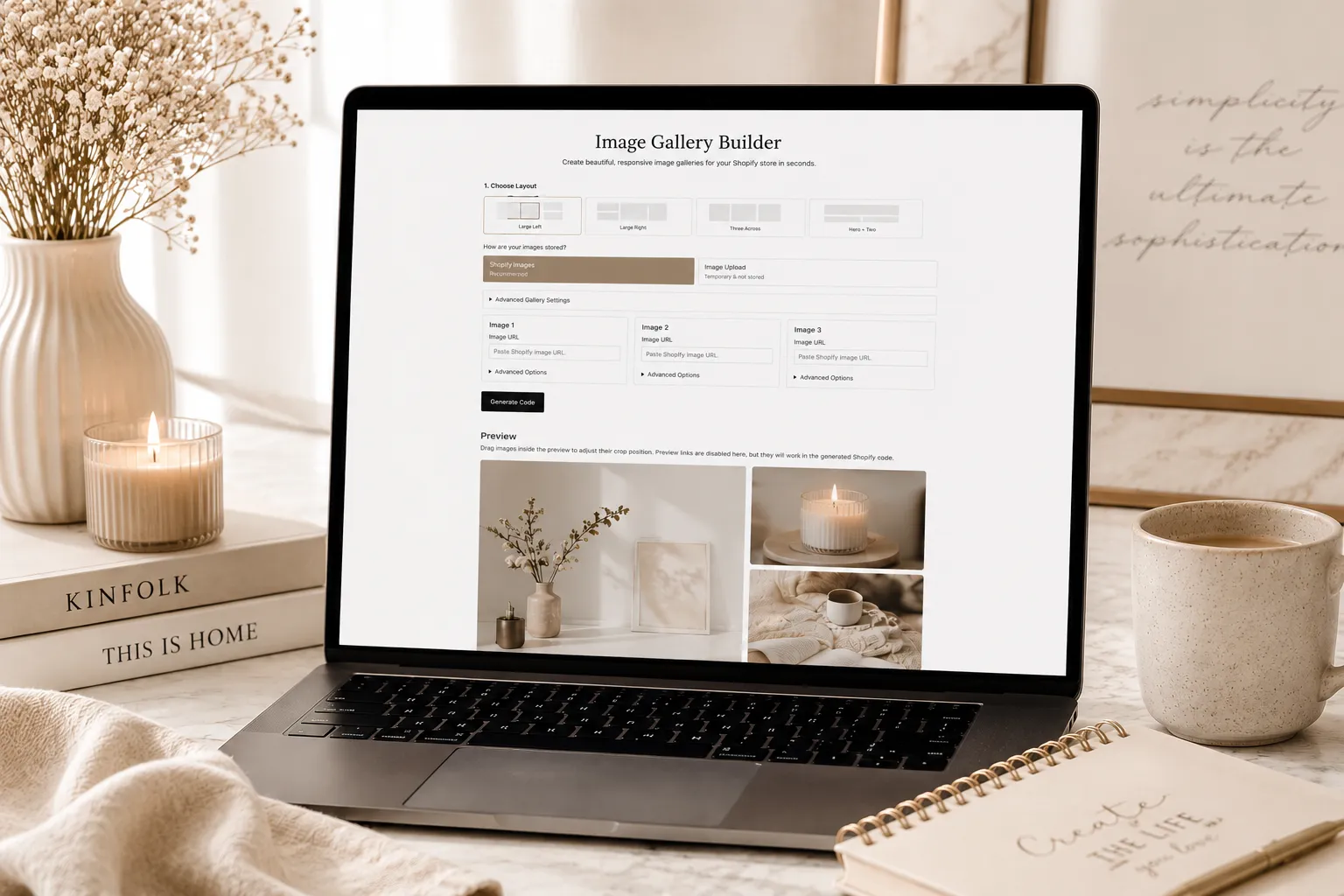
Have you ever tried to build a simple image gallery on Shopify and ended up three tabs deep into a forum thread from 2019, wondering why something that sounds so easy is somehow… not? 😅
Spoiler: it’s not just you. Shopify doesn’t actually give you a built-in way to drop a clean, multi-image layout onto a page. So most people end up doing one of three things: paying $5 to $20 a month for a gallery app, building a janky table manually inside the Shopify page editor, or just giving up and slapping a single Canva graphic up there instead.
I built a fourth option! 🖤
It’s called the Shopify Image Gallery Builder, it’s completely free, and it does exactly what it sounds like… you paste in a few image URLs, pick a layout, and it spits out clean, ready-to-paste code for your Shopify page. You don’t write a single line of it yourself, you just copy and paste. No app install. No login. No watermark. No monthly fee quietly draining your bank account three years from now because you forgot you were even paying for it.
Let’s get into it!
IN THIS ARTICLE
Why I Built a Free Shopify Image Gallery Maker
I build custom Shopify themes for a living, which means I spend a lot of time inside Shopify’s code, and I kept running into the same problem over and over for clients (and for myself, if we’re being honest): there’s no easy native way to build a real image gallery on Shopify.
Want three images side by side on your About page? You’re either installing an app for that, or you’re fighting with Shopify’s page editor and a table element that was clearly never designed for this.
And the Canva banner workaround? It looks fine… until you remember that a JPG is just a picture of text to Google. There’s nothing for search engines to actually read. No real headline, no real keywords, nothing crawlable. You’re basically hiding your own SEO from itself.
So I built a tool that solves both problems at once. Real HTML. Real alt text. Real, Shopify-hosted images that load fast. And a layout that actually looks intentional, instead of like you wrestled a table into submission at 11pm.
How the Image Gallery Builder Works
This part is genuinely the best bit… it takes about 60 seconds.
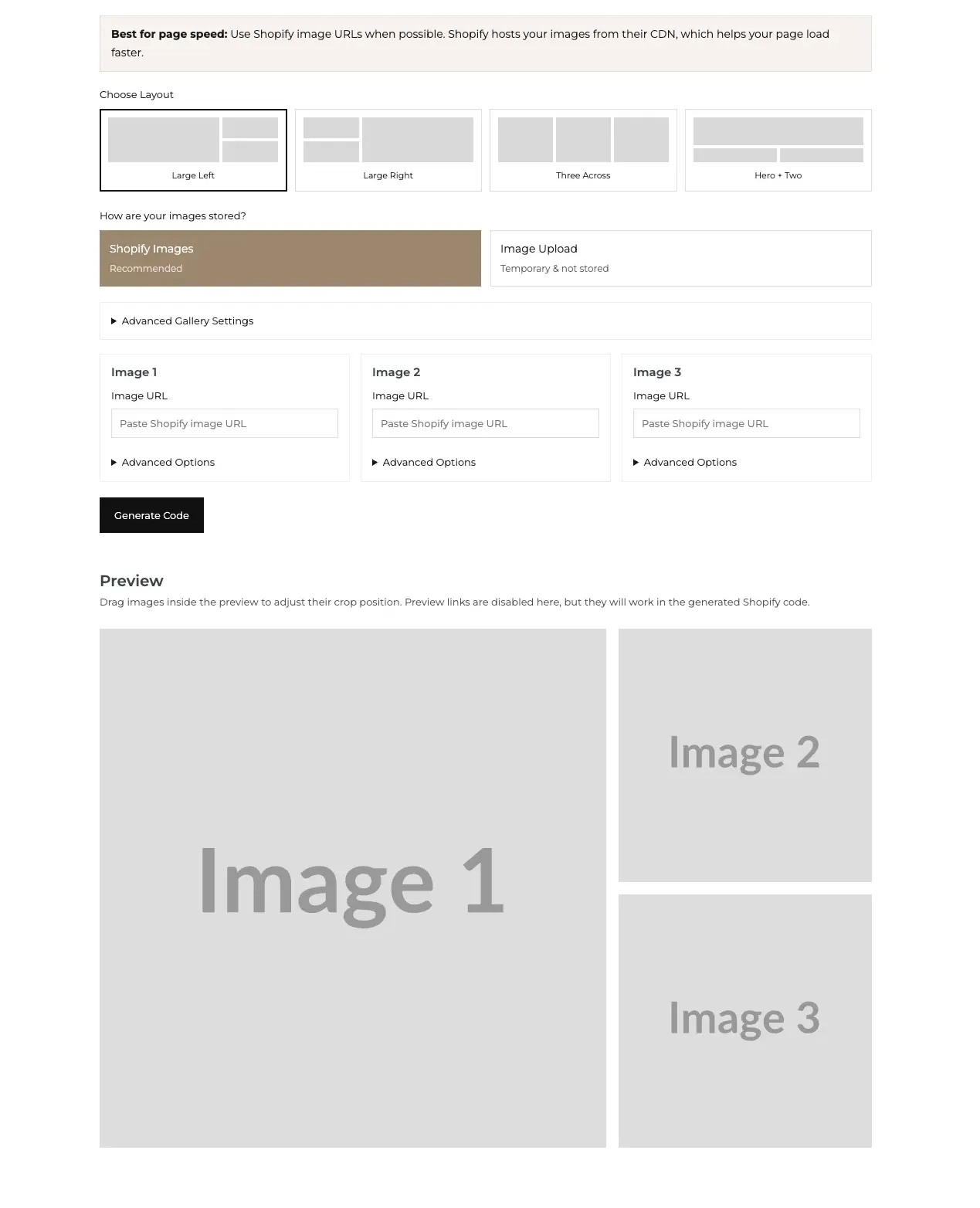
a) Choose your layout. Pick from four designer-friendly gallery layouts (more on those below).
b) Add your images. Paste in your Shopify image URLs for each image slot. (Pro tip below on how to grab those!)
c) Add alt text and links. Open up the Advanced Options under each image to add SEO-friendly alt text, and an optional link URL if you want each image to be clickable.
d) Customize the details. Adjust your gallery width, the spacing between images, rounded corners, and whether the gallery is centered, all with simple sliders. No coding skills required.
e) Generate your code. Hit Generate Code, copy it, and paste it directly into a custom HTML block on your Shopify page. That’s it… you’re just pasting, not writing. Done. Gallery built. ✨
There’s even a live preview where you can drag your images around to adjust their crop position before you grab the code, so you know exactly what you’re getting before you commit.
The 4 Gallery Layouts
Right now, the builder includes four layout options, and I designed each one to actually look like design, not like a default grid you’ve seen a thousand times:
Large Left – One large featured image on the left, two stacked images on the right. Great for a hero product shot paired with supporting detail shots.
Large Right – Same concept, flipped. One large image on the right, two stacked on the left.
Three Across – Three even images side by side. Clean, simple, classic.
Hero + Two – A full-width image on top with two smaller images underneath. Perfect for a big lifestyle shot followed by close-up detail images.
Every layout is fully responsive, so it looks just as good on a phone as it does on desktop. No extra work required on your end.
Why This Is Better Than a Gallery App
Look, gallery apps aren’t bad. But here’s the thing nobody tells you when you install one: most of them are charging you a recurring monthly fee for something that is, underneath it all, just HTML and CSS.
$5 a month. $10 a month. $20 a month. It doesn’t sound like much until you add it up over a year… and realize you just paid for a feature that should have been free.
This tool skips all of that. There’s nothing to install, nothing running in the background slowing down your theme, and nothing you’ll forget you’re paying for in eighteen months. You generate your code once, and it’s yours. Forever. For free.
Why This Is Better Than a Canva Banner
I love Canva. I will defend Canva until the day I die. But a Canva banner is, at the end of the day, just a JPG… and JPGs are invisible to Google.
When you build your gallery with this tool instead, you get:
- Real, crawlable text instead of text baked into an image
- Alt text on every image, which helps both SEO and accessibility
- Faster load times, since Shopify-hosted images are pulled straight from Shopify’s CDN instead of an oversized banner graphic
- A genuinely designer-looking layout, with spacing, rounded corners, and alignment you control
So instead of one static, un-readable image taking up your whole homepage, you get something that actually works for you in search results, not just in front of your visitors.
How to Add the Gallery Code to Your Shopify Store
Once you’ve generated your code:
- Head to the Shopify page (or section) where you want your gallery to live
- Add a Custom Liquid or HTML block (this will depend on your theme!)
- Paste in your generated code
- Save, and preview your gallery live on your site
And one quick note on where to get your image URLs… the tool recommends using Shopify-hosted images, because Shopify serves them from their own CDN, which keeps your page speed nice and fast. You can grab a Shopify image URL by uploading your image to Shopify (through a product, a page, or your Files section under Settings), opening it, and copying the image link it gives you.
Frequently Asked Questions
Is this Shopify image gallery builder really free? Yes! No login, no signup, no watermark, and no hidden fees. You can use it as many times as you want, for as many galleries as you want.
Do I need to know how to code to use this? Not at all! The tool builds the code for you… you just copy it and paste it into a Custom HTML block on your Shopify page. You’re not writing or editing any code yourself.
Do I need to install a Shopify app to use this? Nope. This tool generates clean HTML and CSS that you paste directly into your Shopify page. No app installation required.
Will this slow down my Shopify store? It shouldn’t! Since you’re not installing an app, you’re not adding extra app scripts to your store. Using Shopify-hosted image URLs also helps keep your page speed fast, since Shopify serves those images from its own CDN.
Can I use this gallery builder on a website that isn’t Shopify? You can! The code it generates is just standard HTML and CSS, so it will work on most website platforms. That said, I built this specifically with Shopify SEO in mind, so Shopify store owners are going to get the most benefit from it.
Is my data or are my images stored anywhere? No. If you use the Image Upload option, everything is processed locally in your browser and never touches our servers. Nothing is stored, nothing is saved on our end. Privacy first, always.
Can I make my gallery images clickable? Yes! Under Advanced Options for each image, you can add an optional link URL, plus choose whether it opens in a new tab.
What if I want a layout that isn’t one of the four offered? Keep reading. 👇
Got an Idea for a New Layout?
This tool currently has four gallery layouts, but this is just the beginning! If there’s a layout you wish existed, a feature you’d love to see, or an idea that would make this even more useful for your store, I would love to hear it.
Drop it in the comments below. I read every single one, and this tool is absolutely going to keep growing based on what you all actually need. 🖤
And if you’re loving the free tools around here, you’ll want to check out the Free Image Resizer Tool too… it pairs perfectly with this one for getting your images sized and ready before you build your gallery.
Try the free Shopify Image Gallery Builder here, and go build something beautiful. ✨
More Posts You Might Like…




Leave a Reply